10 best receipt scanning apps for 2026

- Best receipt scanning apps compared
- Best receipt scanning apps for business
- Best free receipt scanner apps
- How to choose the best receipt scanner app for your business
- How to scan a receipt on your phone
- Simplify receipt scanning with Ramp

AI Summary
The best receipt scanning app depends on how you manage expenses. For business expense tracking and reimbursement, Ramp is the best all-in-one pick for teams with corporate cards, and Expensify is a strong alternative. Dext and QuickBooks Online are options for bookkeeping, while Zoho Expense offers a free plan for smaller teams.
Unlike rewards apps such as Fetch and Ibotta, the apps in this guide focus on business expenses.
Best receipt scanning apps compared
| App | Best for | Starting price | Free trial/version | Key feature or limitation |
|---|---|---|---|---|
| Ramp | Mid-market companies wanting expense management and corporate cards in one platform | $0/month/user (Ramp Free) | Free plan; 30-day Ramp Plus trial | Auto-matches receipts to corporate card transactions |
| Expensify | Business travelers with simple expense reporting needs | $5/user/month | Free plan for individuals | SmartScan OCR with automated expense reports |
| BILL Spend & Expense | Businesses already using BILL for accounts payable | $0/user/month | Free to use | Receipt scanning alongside corporate cards and budgeting controls |
| QuickBooks Online | Businesses already using QuickBooks for accounting | $38/month | 30-day free trial | Receipt scanning within the QuickBooks ecosystem |
| Zoho Expense | Small to mid-sized teams needing multilingual support | $3/user/month, billed annually | Free plan for up to three users | Free plan includes 20 automatic receipt scans per user per month |
| Shoeboxed | Businesses with lots of existing paper receipts | $97/year (about $8/month) | 30-day money-back guarantee | Starter includes one Magic Envelope and 20 paper scans per year |
| Dext | Accounting firms managing multiple clients | $25.21/month, billed annually | 14-day free trial | Extracts data from receipts and invoices; accounting-firm pricing is separate |
| Neat | Small businesses focused on tax compliance | $200/year (about $17/month) | Free trial available | Organizes receipts for tax preparation |
| Veryfi | Companies building receipt scanning into custom workflows | $500/month | Free plan for up to 100 documents per month | API-first OCR; requires development resources |
| Wave | Freelancers and very small businesses on a budget | $8/month for receipt scanning; Starter accounting is free | Free accounting plan; receipt scanning paid | Receipt capture and OCR on paid plans |
Prices are starting prices and aren't directly comparable. Some are charged per user, while others are flat fees or have document limits. Check current billing terms, plan limits, and features before choosing.
Best receipt scanning apps for business
Here's a closer look at each app, including what it does best, who it's for, and how it's priced:
Ramp
G2: 4.8 out of 5 | Capterra: 4.8 out of 5
Best for: Mid-market companies wanting expense management and corporate cards in one platform
Ramp is the best all-in-one receipt scanner for finance teams that run on corporate cards. It's a full finance operations platform with OCR-powered receipt scanning built in. Employees submit receipts by SMS, mobile app, web app, email, Slack, or Teams, and each receipt auto-matches to its corporate card transaction in real time at swipe, so no one chases paperwork after the fact.
Policy Agent, an always-on AI reviewer, checks 100% of transactions and catches 7x more out-of-policy spend than rule-based systems at 99%+ accuracy. For business travelers, 95%+ of Ramp Travel transactions have receipts auto-matched and memos generated.
Receipts and coded data feed the Accounting Agent, so your finance team closes the books 3x faster.
Key features:
- Complete finance platform for expense tracking, reporting, and planning
- OCR-powered receipt scanning with document management included
- Integrated corporate cards with customizable spending limits
- Automated expense approval workflows
Integrations: QuickBooks, NetSuite, Xero, Sage Intacct
Limitations: Gets the most value when your team spends on Ramp cards. Auto-enforced spending limits can leave employees with a card that doesn't work.
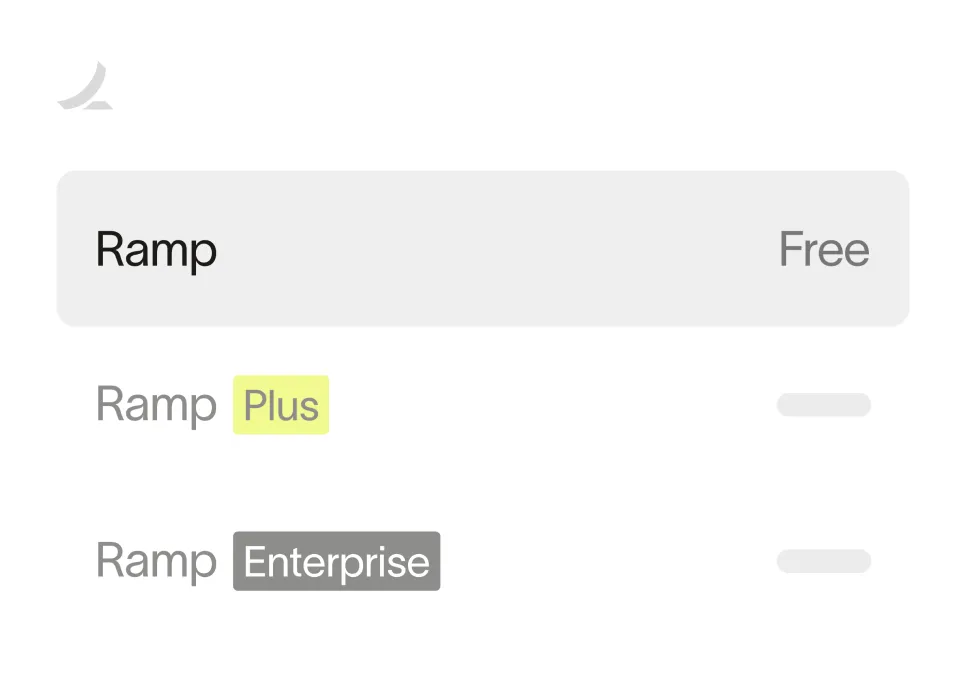
Pricing: Ramp Free is $0 per user per month and includes auto-receipt collection and matching. Ramp Plus is $15 per user per month, plus a platform fee based on team size. Annual billing saves 20%. Enterprise pricing is custom. See Ramp's pricing page for current terms.
Ready to take control of your finances?
Learn about Ramp’s pricing plans and start saving today.
Expensify
Best for: Business travelers with straightforward expense reporting needs
Expensify combines receipt capture with expense reports and reimbursements. Its SmartScan OCR extracts receipt details and prepares expense reports automatically, while its mobile app supports on-the-go reporting.
Key features:
- Submit receipts by photo, email, or text.
- Generate expense reports from scanned receipts.
- Connect with HR and accounting software, including QuickBooks, Xero, and NetSuite.
Limitation: Per-user pricing can add up as teams grow, and the free plan is aimed at individuals rather than teams.
Pricing: Expensify's Collect plan starts at $5 per member per month. Control is custom-priced, starting as low as $9 per active member per month.
BILL Spend & Expense
Best for: Businesses already using BILL for accounts payable
BILL Spend & Expense (formerly Divvy) combines receipt scanning with corporate cards, budgeting controls, and expense tracking. Businesses that also use BILL for accounts payable can manage those workflows within the broader BILL platform.
Key features:
- Capture receipts alongside card transactions.
- Track and report on expenses with built-in budgeting controls.
- Connect with accounting software, including QuickBooks.
Limitation: Businesses that only need a standalone scanner may not need the broader spend management features. AP and AR plans are priced separately.
Pricing: BILL lists Spend & Expense at $0 per user per month, with no subscription or per-user software fees. AP and AR plans are priced separately.
QuickBooks Online
Best for: Businesses already using QuickBooks for accounting
QuickBooks Online offers built-in receipt scanning alongside accounting, making it convenient for businesses that already use the platform to automate bookkeeping.
Key features:
- Capture receipts within your accounting software.
- Use automatic data backup and financial reporting.
- Connect with TurboTax, Mailchimp, PayPal, Shopify, and 800+ other apps.
Limitation: QuickBooks is one of the more expensive options on this list. User limits vary by plan, and the mobile app doesn't include every desktop feature.
Pricing: QuickBooks Online plans range from $38 per month for one user (Simple Start) to $340 per month for 25 users (Advanced), before promotional discounts.
Zoho Expense
Best for: Small to mid-sized teams needing affordable, multilingual expense tracking
Zoho Expense captures receipts in 38+ languages and supports expense tracking across currencies. It integrates with Zoho Books, QuickBooks, and Xero, making it useful for teams that want receipt data connected to their accounting software.
Key features:
- Upload receipts through multiple methods, including mobile and email.
- Track expenses in multiple currencies.
- Use receipt scanning alongside expense reports and approvals.
Limitation: The free plan includes 20 automatic receipt scans per user per month. After that, users can still upload receipts for recordkeeping or enter expenses manually. Multi-entity expense management is listed on Premium, and the mobile app doesn't include every web feature.
Pricing: Free for up to three users. Standard starts at $3 per user per month and Premium at $5 per user per month, both billed annually.
Shoeboxed
Best for: Businesses with existing paper receipts to organize
Shoeboxed's Magic Envelope service lets you mail physical receipts for digitization and categorization. It's an option for businesses with a backlog of paper receipts and limited time to scan them individually.
Key features:
- Mail paper receipts or capture them digitally.
- Track business miles with the app's mileage tracker.
- Connect with accounting software, including QuickBooks, Xero, and Wave.
Limitation: Mail-in scanning requires sending physical receipts rather than capturing them immediately. Starter includes one Magic Envelope, 20 paper scans per year, and three years of digital scan storage; additional paper scans cost extra.
Pricing: Starter is $97 per year, or about $8 per month, billed annually. It includes 50 digital scans per month, 20 paper scans per year, and one Magic Envelope per year. Pro is about $25 per month, and Plus is about $66 per month, both billed annually. Check current plan limits and overage charges before choosing.
Dext
Best for: Accounting firms and bookkeepers managing client expenses
Dext (formerly Receipt Bank) extracts financial data from receipts and invoices and supports accountants and bookkeepers managing multiple clients. It can also pull bills from suppliers directly into the platform.
Key features:
- Submit receipts through the mobile app or email.
- Extract data from receipts and invoices.
- Connect with QuickBooks, Xero, Sage, and bank integrations.
Limitation: Seat and usage limits vary by plan, and there is no free plan. Accounting-firm pricing is separate from business-plan pricing.
Pricing: Business plans start at $25.21 per month billed annually, with a 14-day free trial. Accounting-firm plans are priced separately.
Neat
Best for: Small businesses focused on tax compliance and deduction tracking
Neat focuses on receipt organization and recordkeeping for tax preparation. It can be useful for businesses maximizing deductions and keeping records organized for filing season.
Key features:
- Organize receipts by category.
- Search a digital document archive.
- Connect with QuickBooks, Xero, and tax preparation tools.
Limitation: Neat has fewer expense management features than broader platforms, limited collaboration tools for larger teams, and no corporate card offering.
Pricing: Neat starts at $200 per year (about $17 per month), billed annually. Contact Neat for details on higher-tier plans.
Veryfi
Best for: Companies building receipt scanning into custom workflows or apps
Veryfi takes an API-first approach to receipt scanning, making it an option for companies building OCR-powered capture into custom workflows or proprietary apps. Veryfi says its OCR processes receipts in real time without human review.
Key features:
- Extract data from receipts, invoices, and other financial documents.
- Designed to read low-quality receipt images
- Build custom connections through its API.
Limitation: Veryfi requires developer resources and isn't a plug-and-play solution for non-technical teams. It doesn't include built-in expense management or reporting features.
Pricing: Paid plans start at a $500 per month minimum. Veryfi also offers a free plan for up to 100 documents per month.
Wave
Best for: Freelancers and very small businesses with simple needs
Wave offers a free Starter accounting plan, with receipt scanning available on its paid Receipts and Pro plans. It can be a starting point for freelancers who want to combine receipt capture with basic bookkeeping.
Key features:
- Capture receipts through the mobile app, desktop, or email on paid plans.
- Use core bookkeeping features at no cost.
- Access invoicing and payment processing; connect with select apps.
Limitation: Receipt scanning requires a paid plan. Wave doesn't offer corporate cards or spend controls, and customer support is limited on the free plan.
Pricing: Wave's Starter accounting plan is free, but receipt scanning requires a paid plan. Its Receipts plan is $8 per month, and Pro is $19 per month, billed monthly, before promotional discounts.
Best free receipt scanner apps
Free options range from expense apps that extract receipt details to phone tools that save a document image. They aren't interchangeable: If you need an expense record rather than just a PDF, check whether automatic extraction is included and how many scans you can make.
Zoho Expense free tier
Zoho Expense offers a free plan for up to three users, with 20 automatic receipt scans per user per month. After reaching the limit, users can still upload receipts for recordkeeping or create expenses manually.
Expensify free plan
Expensify is free for individuals tracking personal expenses. If you need business features such as team expense reports or policy enforcement, you'll need to move to a paid plan. Check the current plan terms for any scan limits.
Ramp Free
Ramp Free includes auto-receipt collection and matching alongside corporate cards and expense management. See Ramp's pricing page for plan details.
Free document scanners
If you only need a digital copy of a receipt, these tools can capture and save documents without a dedicated expense platform:
- Apple Notes: Scan receipts from the Notes app on iPhone.
- Google Drive: Scan and save receipts as PDFs on Android.
- Adobe Scan: A free-to-download scanning app with OCR
Check each app's current features and limits. A document scan alone doesn't necessarily create an expense record, categorize the purchase, or match it to a card transaction. If you need those features, compare dedicated expense trackers.
How to choose the best receipt scanner app for your business
A receipt scanning app captures paper or digital receipts and, when it includes optical character recognition (OCR), can extract details such as the merchant, date, and amount. Receipt scanning can reduce manual entry and help organize documentation for tax-deductible business expenses. To find the right fit, consider what needs to happen after the scan.
With automated review, finance teams reclaim 4–5 hours per week from manual expense checks. With Ramp, reimbursements reach employee bank accounts in 1–2 business days across 70+ countries.
1. Match the app to your primary use case
Are you tracking employee expenses across a growing team, managing your own receipts for tax season, or looking for a full expense management platform with corporate cards? Check whether the app supports the capture methods you use, such as phone photos, email forwarding, or mail-in scanning, and whether it can process digital receipts.
2. Check accounting integrations and workflows
List your current accounting software, ERP, and other financial tools. Check whether the app integrates with them or exports records in a usable format. If you manage employee expenses, also look for the approval, reimbursement, and card-matching features your team needs.
Automatic expense categorization can help keep records consistent. Ramp goes further and auto-codes expenses from context, then syncs them to your ERP in real time.
3. Weigh pricing and scan limits
Some apps charge per user, others charge per receipt volume, and a few offer free plans. Check what the price includes, whether billing is monthly or annual, and what happens when you exceed a scan or storage limit. Estimate costs based on your current team size and expected receipt volume, then consider how those costs might change as you grow.
4. Test OCR accuracy and record access
Test the app with your actual receipts, including faded, crumpled, low-contrast, and international examples if those are common for your business. Review extracted details before relying on them. Check how long records are stored, whether you can export them, and what security and access controls protect sensitive financial documents.
The IRS generally recommends keeping records supporting a tax return for three years, though some situations require longer or indefinite retention. Your recordkeeping needs may also depend on the type of expense and other applicable rules.
How to scan a receipt on your phone
Many receipt scanning apps let you use your phone camera to digitize and organize receipts. The exact steps depend on the app:
- Open the app and choose its receipt capture or scan option.
- Photograph the entire receipt in good lighting.
- If the app extracts details automatically, review the merchant, date, and amount and correct any errors.
- Save the receipt and, if supported, submit the expense or sync it to your accounting software.
On iPhone, you can scan from the Notes app's document scanner. On Android, you can use the scan option in Google Drive to save receipts as PDFs. Those document scans don't necessarily create an expense record or sync it to accounting software.
With Ramp, a scanned receipt can match the corresponding card transaction, reducing manual matching. Most business apps support both iOS and Android, so your team can scan from any device.
Simplify receipt scanning with Ramp
Ramp combines receipt scanning with corporate cards, expense policies, and accounting automation in one platform. Employees snap photos of receipts that auto-match to card transactions. Finance teams save time on reconciliation and close books faster.
Ramp's expense management software automates receipt collection by letting employees forward digital receipts by email and matching them to the right transactions in real time. For paper receipts, Ramp's mobile app uses OCR to scan the relevant data and pair it with the right transaction automatically.
By centralizing receipts and transaction data in one platform, you get real-time visibility into company spend, search to find any receipt instantly, and secure cloud storage so you never lose critical documentation. Required receipt collection becomes automatic, and your expense records stay complete and audit-ready.
Ready to say goodbye to that file cabinet full of paper receipts? Try an interactive demo and see how the median Ramp customer saves 7.5% on expenses in their first year.

FAQs
For many businesses, yes. Receipt scanning apps can reduce manual data entry, help organize records, and support reimbursement workflows. Some also match receipts to card transactions.
Yes. Many receipt scanning apps let you photograph receipts with an iPhone or Android phone and extract details such as the merchant, date, and amount. Some tools, including developer-focused APIs, are designed for other workflows.
Snap a photo in a receipt scanner app right after a purchase and review the extracted details. With a connected platform like Ramp, the receipt matches itself to the card transaction, so there's nothing left to file.
Yes. Electronic records can support your tax return if they contain the information needed to substantiate the expense. The IRS generally recommends keeping records for three years, though some situations require longer retention.
Some can, but OCR accuracy varies by print quality, format, and language. If you have international or low-quality receipts, test the app with your actual receipts and review the extracted details before committing.


“Our cupcakes are handmade. Our back office doesn’t need to be. Ramp gives us the automation to run a big business without losing the personal touch that made us who we are.”
Amanda Tedeschi
Controller, Baked by Melissa

“I want to trust the people at our sites to buy what they need, when they need it. With everything in Ramp, they have one place to go and one set of rules to follow. And I can see how all of their spending ties back to the contracts that fund their work.”
Marina Peterson
CFO, Wu Yee Children’s Services

“Finance isn’t just there to keep a record of the past. Are we negotiating with a retail partner? We have a seat at that table. Looking at a brand partnership? We have a seat at that table too. That’s really the big unlock: finance can be a strategic partner across the business, while Ramp keeps day-to-day work from pulling us away.”
Rachel Prescott
CFO, Caraway

“I assumed I would have to choose between speed and control. What I found is that you can have both. A well-designed system takes friction out, for the finance function and for everyone else.”
Justin Webster
CFO, Denver Broncos

“A well-run district should not have to choose between getting work done at the school site and keeping control of the dollars behind it. We're not hiring more people to do more jobs, so we have to be smarter about the process. With Ramp, the purchase, the receipt, and the record stay together from the start. ”
Nick Brizeno
Director of Purchasing, San Marcos Unified School District

“In senior living, scale only works if the communities still feel personal. We needed the back office to carry more of the complexity, not the people serving residents. Ramp helped us build that infrastructure, so the experience in the community could stay human.”
Ryan Cole
CFO, Agemark Senior Living

“AI is moving faster than the finance context around it. Prices change, models change, and the value is not always obvious from an invoice. We needed enough detail to know which bets deserved more investment — and which ones did not.”
Greg Cooley
Controller, AngelList

“Invoices, cards, tokens. The categories change but the principle doesn't: know where the money is going, remove the work around it, and make sure the spend is worth it.”
Maciej Mylik. Finance
ElevenLabs
